.png)
Invite a user
How to invite a user
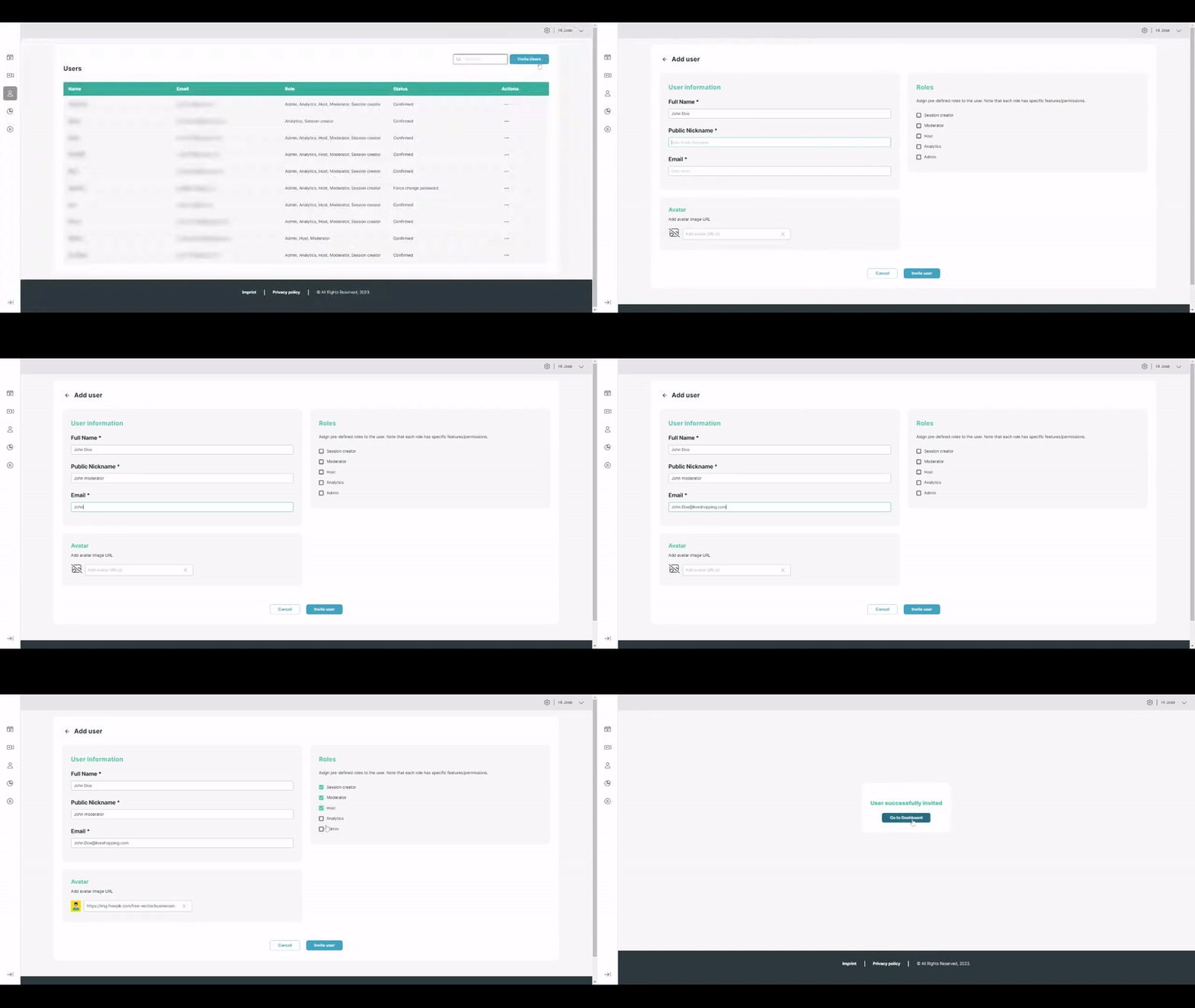
A user with an admin role can navigate to the "Users" area in the left menu. By clicking on the "Invite users" button located at the top-right corner of the page, they can add new users.
The following fields are mandatory: Full name, Nickname (used for moderators), and Email.
In addition to filling in the mandatory fields, pre-defined roles can also be assigned to the new user. Learn more about User roles
It is possible to add an avatar for the user by providing a URL or upload a company logo.
Once all the required data is entered, clicking on the "Invite user" button will send an email to the provided email address.
The new user will receive an email containing their login information and will be prompted to change their password upon first login.